 Workyol
Every missed appointment is an empty chair and lost revenue. Phone calls take your assistant’s time and often go unanswered, and SMS is often ignored. Most patients already read WhatsApp all day.
How it works in Workyol
Import your patients
Upload an Excel or CSV list (name, phone, date, time, doctor). Only patients who agreed to receive messages: Workyol asks you to confirm consent.
Pick a reminder template
Use a ready-made reminder in 5 languages, or write your own. Meta approves it once, usually within minutes.
Send or schedule
Each blank is filled from your list: name, date, time. Schedule it for the day before.
Follow the results
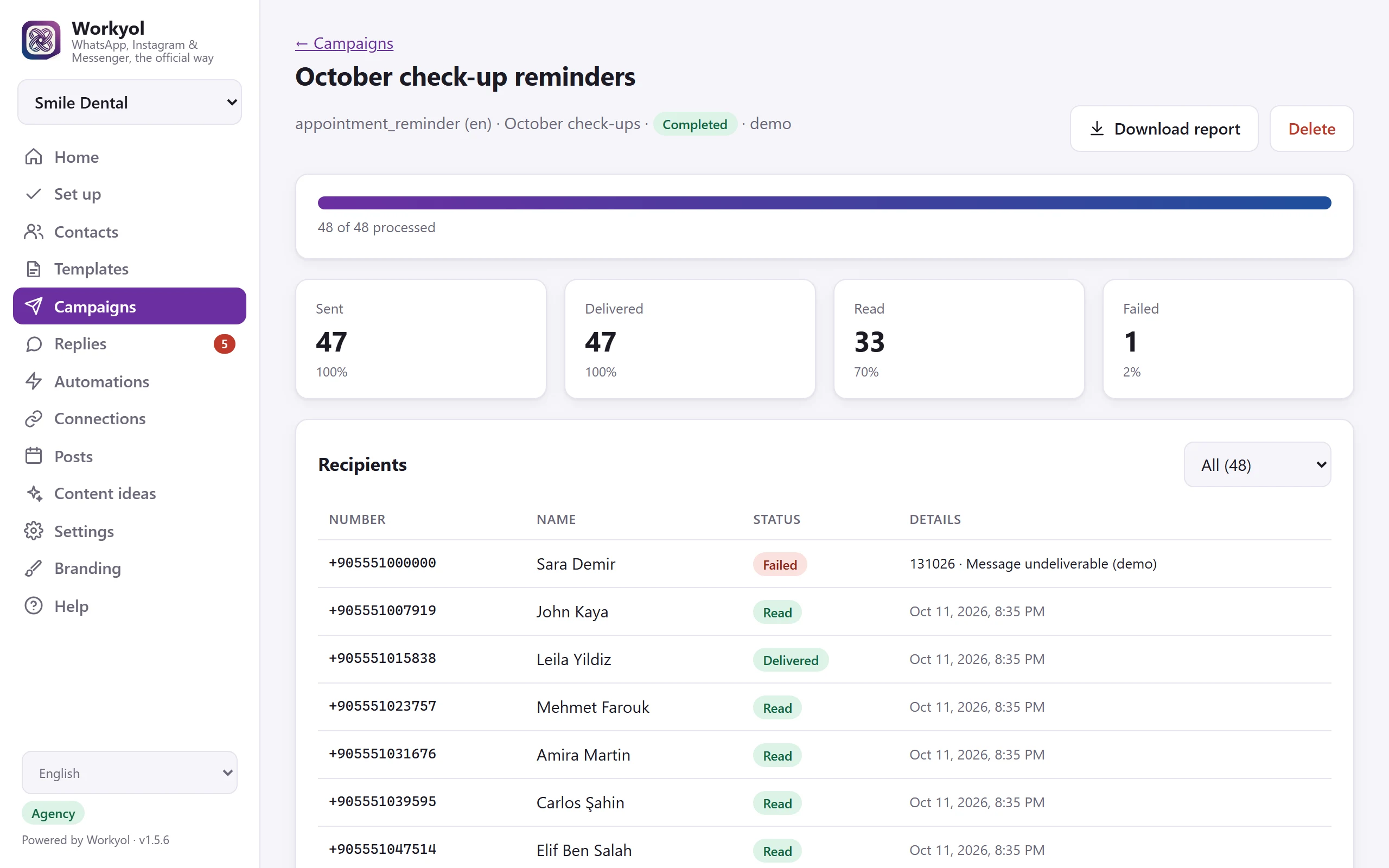
See sent, delivered and read for every patient. Anyone who answers STOP is never messaged again.
Example message
The patient’s name, date, time and doctor come from your Excel columns. Replies arrive in your Workyol inbox, where an automation can answer “1” and “2” by itself.
Why it helps
- Fewer no-shows: patients see the reminder where they already chat
- Proof for every message: sent, delivered, read
- Your assistant stops calling patients one by one
- Works in every language your patients speak
- Paid once ($79), no monthly fee; Meta bills template messages directly to your WhatsApp account
Questions
Can I message any patient?
Only patients who agreed to receive WhatsApp messages from your clinic. This is the law, Meta’s rule and how Workyol works: consent is required and STOP is respected automatically.
How much does a WhatsApp reminder cost?
Workyol itself is paid once. Meta charges a small fee per template message, billed to your own WhatsApp Business account; it depends on the country. Replies within 24 hours are free.
Can I keep my clinic’s number?
You need a number that is not used in the WhatsApp phone app. Many clinics use a new number just for reminders and replies.
Try it on your own business
Free 7-day trial, no card. Real messages with your own WhatsApp, Instagram and Facebook.